


Share article
How to Book Hotel Directly on the Travelodge Hotels Asia Website

Travelodge Team


Planning a trip across Asia starts with finding the right hotel, room type, and booking rate. With the Travelodge Hotels Asia website, travelers can search for available rooms, compare rate options, apply eligible discount vouchers, and complete an online hotel booking in a few simple steps.
Booking directly through the official hotel booking website also makes it easier to review current promotions, check booking conditions, and access eligible loyalty benefits. Here is how the hotel booking process works, from checking availability to receiving your confirmation.
Why Book Directly Through the Travelodge Hotels Asia Website?
Booking directly through the official Travelodge Hotels Asia website gives travelers a convenient way to manage their reservations in one place. Instead of checking several platforms separately, guests can review available hotels, room types, rates, promotions, and booking conditions through the official booking journey.
Compare Room Rates Based on Your Needs
Travelodge Hotels Asia offers different room rate options depending on the property and travel dates. Available rates may include flexible rates, advance-booking rates, room-only options, breakfast-inclusive rates, and limited-time promotional offers.
The best option depends on your plans. A flexible rate may be more suitable for travelers who need room to adjust their itinerary, while an advance-booking rate can be useful for guests with confirmed travel dates. Breakfast-inclusive rates may also provide added convenience during a busy sightseeing or business trip.
Check Current Hotel Promotions
Before starting your reservation, check the latest offers on the official Travelodge Hotels Asia promotions page. Promotions may include advance-booking discounts, minimum-stay offers, breakfast packages, credit card promotions, or other benefits available for selected hotels and dates.
Always review the promotion’s booking period, stay period, participating hotels, eligible room rates, and payment requirements before selecting an offer.
Apply Eligible Discount Vouchers
Some promotions require a discount voucher or promotional code. The code can be entered during the booking process, allowing travelers to check if the eligible discount has been applied before making payment.
It is important to review the voucher conditions carefully. Some codes may only apply to selected hotels, room types, travel dates, or minimum-stay requirements.
Enjoy Travelodge Loyalty Benefits
Travelers can also sign up or sign in to access eligible Travelodge loyalty benefits before completing a reservation. Members may enjoy Cashback Credits of up to 5% on eligible stays, along with selected benefits such as early check-in, late check-out, and special offers, subject to the applicable terms.
Checking the available Travelodge Cashback benefits before booking can help frequent travelers get more value from their stays.
How to Make an Online Hotel Booking on the Travelodge Hotels Asia Website
There are two ways to begin the hotel booking process. Travelers can start from the homepage or choose a room directly from an individual hotel page.
Step 1: Visit the Official Travelodge Hotels Asia Website
Open the Travelodge Hotels Asia website and browse the available destinations and hotels. Select a property based on its location, room options, facilities, and proximity to the places you plan to visit.
Travelodge Hotels Asia operates hotels across destinations such as Singapore, Japan, South Korea, Malaysia, Hong Kong, and Thailand, making the website a useful starting point for regional trips.
Step 2: Start the Booking from the Homepage
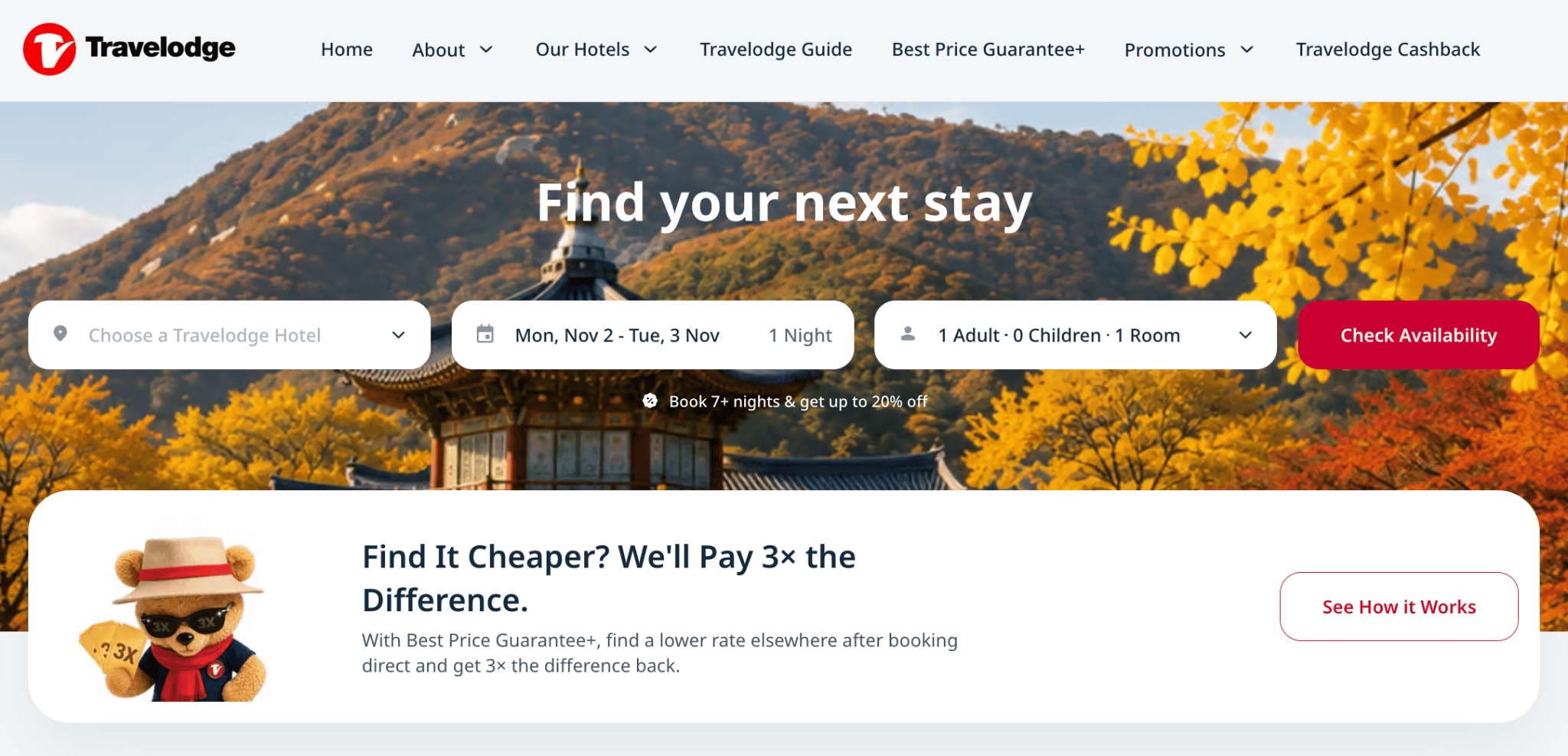
On the homepage, enter your destination or preferred hotel, travel dates, and guest details. The homepage booking form allows you to begin searching for available rooms.
Click the “Check Availability” button to continue.
Another Way to Start: From Hotel Page
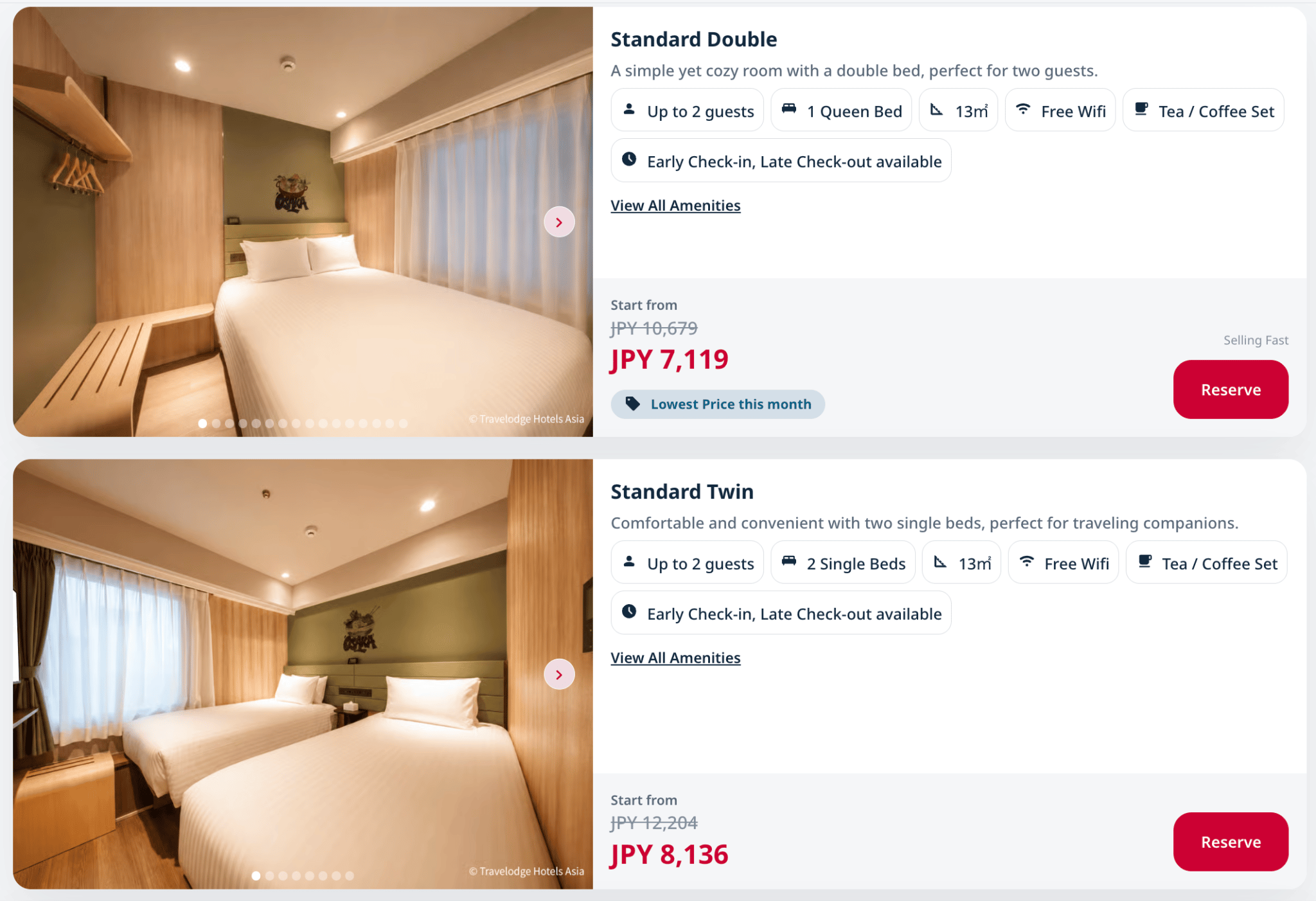
Travelers can also begin by visiting an individual hotel page. After reviewing the available room types, select the room that best matches your needs and click “Reserve.”
The two booking buttons serve different starting points:
- “Check Availability” starts the search from the homepage.
- “Reserve” starts the process after you have reviewed a specific hotel room.
Both options lead to the booking engine.
Step 3: Enter Your Travel Details
After clicking “Check Availability” or “Reserve,” enter the required booking information. This may include:
- Destination or hotel
- Check-in date
- Check-out date
- Number of adults
- Number of children
- Number of rooms
Enter the dates and guest numbers accurately. Room availability, occupancy, and rates can change depending on the selected dates and number of guests.
Explore Travelodge Hotels in Asia






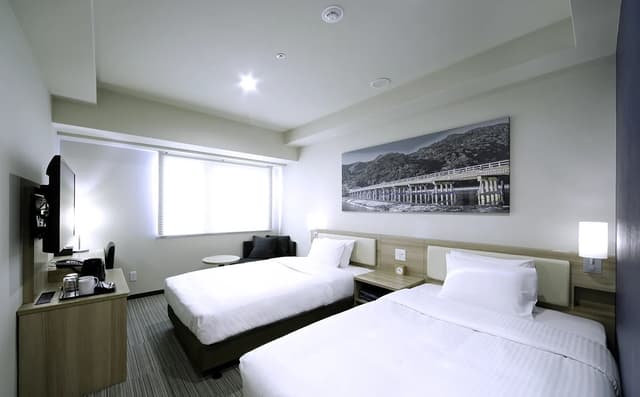
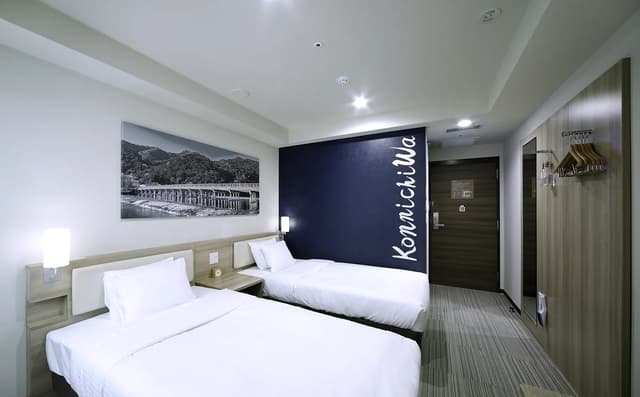
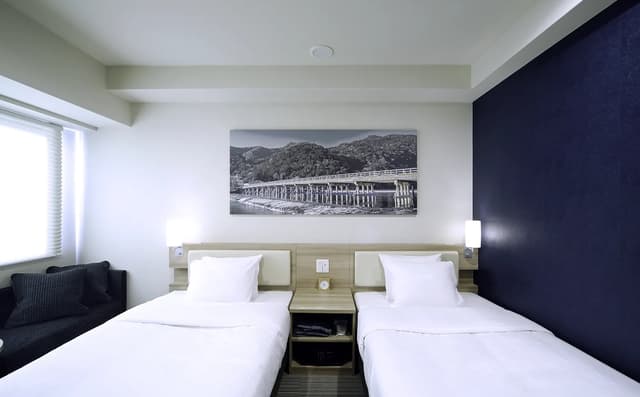

- 1
- 2
- ...
- 9
Step 4: Review the Available Room Types
The booking engine will display the room types available for your selected dates. Take time to review the details before choosing a room.
Important points to compare include:
- Room type
- Room size
- Bed configuration
- Maximum occupancy
- Included room amenities
- Breakfast inclusion
- Cancellation policy
- Modification conditions
- Total booking price
For example, a room with one queen bed may suit a couple, while a larger room with multiple beds may be more practical for a family or group of friends.
Step 5: Choose a Room Rate Based on Your Needs
The available room rates may differ in price and booking conditions. Instead of choosing only the lowest displayed amount, compare what each rate includes.
Flexible Rate
A flexible rate may be suitable for travelers whose plans could change. These rates generally provide more flexible cancellation or modification conditions, subject to the specific hotel’s policy.
Check the cancellation deadline, modification conditions, deposit requirements, and payment terms before confirming the reservation.
Early Booking Rate
An early booking rate is designed for guests who can confirm their travel dates in advance. Travelodge Hotels Asia’s Early Bird rate requires booking at least 30 days in advance and may provide additional savings while retaining a flexible modification policy.
This option can be useful for travelers with confirmed flights, planned holidays, or fixed business schedules.
Room-Only Rate
A room-only rate includes accommodation without breakfast. It may suit guests who prefer to explore local cafés, have early departures, or decide where to eat each morning.
Breakfast-Inclusive Rate
A breakfast-inclusive rate combines accommodation with breakfast during the stay. It can provide extra convenience for guests with early tours, business appointments, or busy sightseeing plans.
When comparing room-only and breakfast-inclusive rates, consider the cost of purchasing breakfast separately.
Promotional Rate
A promotional rate may offer a special discount, breakfast benefit, free night, or another booking advantage. Promotional rates usually come with specific conditions, such as a minimum stay, advance-booking period, participating hotel, or eligible payment method.
Review the full terms before selecting the rate.

Step 6: Click “Reserve” to Continue
After choosing your preferred room type and rate, click “Reserve” to continue to the booking engine if you have not already entered it from the hotel page.
The booking flow is generally:
Check Availability or Reserve → Choose a room and rate → Enter guest details → Apply a voucher → Review the booking → Make payment → Receive confirmation
Step 7: Enter Your Guest and Contact Details
The booking engine may request information such as:
- Guest name
- Email address
- Contact number
- Number of guests
- Special requests, if available
Use an active email address because the booking confirmation and reservation details will be sent there. Check the spelling of the guest name carefully, especially if the reservation will be used for business travel or shared with other travelers.
Special requests, such as a preferred hotel bed configuration or room location, are generally subject to availability and may not be guaranteed.
Step 8: Apply a Discount Voucher
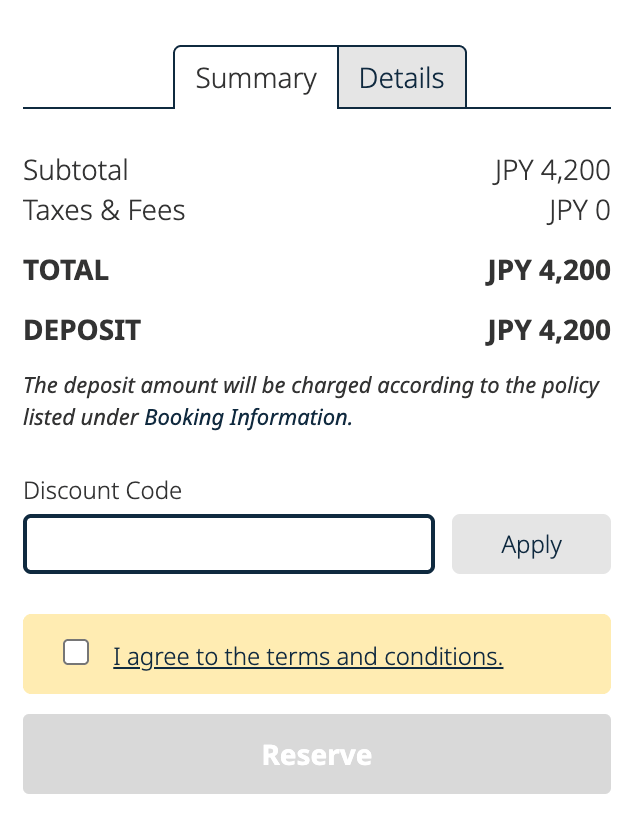
Eligible discount codes can be entered in the Summary/Details tab of the booking engine.
To apply a voucher:
- Open the Summary/Details tab.
- Enter the discount code exactly as provided.
- Apply the code using the relevant button or field.
- Check that the discount has been reflected in the booking summary.
Before continuing, confirm that:
- The voucher is still valid.
- The selected hotel is included.
- The room rate is eligible.
- The booking dates meet the promotion conditions.
- Any minimum-stay requirement has been fulfilled.
- The final price reflects the discount.
If the discount does not appear, review the voucher conditions or try selecting an eligible room rate.
Step 9: Review the Final Booking Summary
Before making payment, carefully review the complete reservation details.
Check the following:
- Hotel name
- Check-in and check-out dates
- Room type
- Number of rooms
- Number of guests
- Selected room rate
- Breakfast inclusion
- Applied discount voucher
- Taxes and additional charges
- Cancellation and modification policy
- Total amount payable
The final booking summary is the most important price reference. The initial nightly rate may not include all taxes, breakfast charges, additional services, or promotional adjustments.
Step 10: Make Payment by Credit Card
Travelodge Hotels Asia accepts the following credit card payment methods through the booking engine:
- Mastercard
- Visa
- American Express
- JCB
- UnionPay
Select the available credit card payment option and enter the required payment details. Make sure the card information is accurate and that the final payment amount matches the booking summary.
Using Mastercard for Hotel Booking Promotions
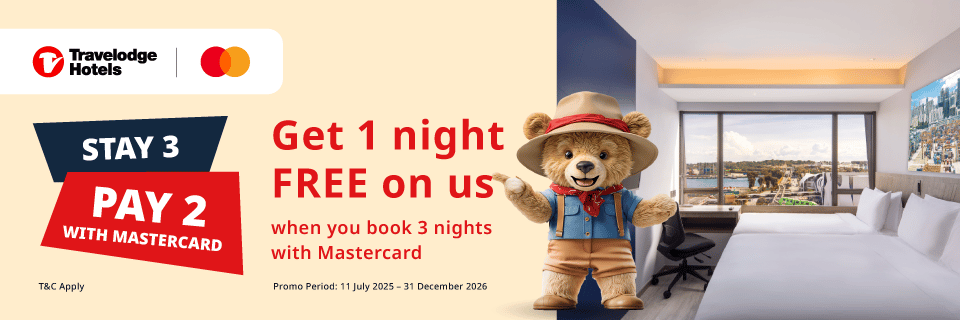
Mastercard may also be used for eligible hotel booking promotions at participating Travelodge hotels. For example, the Mastercard Stay 3, Pay 2 promotion may allow eligible guests to book three consecutive nights and receive one night free, subject to the promotion’s terms.
The general booking process is:
- Select a participating Travelodge hotel.
- Enter dates for at least three consecutive nights.
- Choose the eligible Mastercard promotional rate.
- Enter the guest and contact details.
- Pay using an eligible Mastercard.
- Review the final booking summary.
- Confirm that the promotional discount has been applied.
Additional savings may be available for Travelodge Cashback members when stated in the promotion conditions. Participating hotels, booking dates, room rates, minimum-stay requirements, and payment conditions may apply.
Step 11: Receive Your Booking Confirmation
After completing payment or the booking authorization process, check that the confirmation page appears.
You should also look for the booking confirmation email. Save the confirmation number and reservation details so they are available during check-in.
If the email does not arrive:
- Check your spam or junk folder.
- Confirm that the email address was entered correctly.
- Contact the hotel or booking support team if necessary.
Review the confirmation carefully and contact the hotel promptly if any information appears incorrect.
Important Things to Check Before Making an Online Hotel Booking
Check Current Promotions
Before selecting a room, visit the official Travelodge Hotels Asia promotions page.
Review the following details:
- Promotion validity
- Booking period
- Stay period
- Participating hotels
- Eligible room types
- Minimum-stay requirements
- Payment method
- Voucher requirements
- Membership conditions
A promotion may be available only for selected hotels, dates, room types, or payment methods.
Compare the Complete Room Rate
Do not compare room rates based only on the displayed nightly price. Check the total cost for the entire stay and confirm what is included.
Pay attention to:
- Breakfast
- Taxes
- Additional charges
- Room occupancy
- Cancellation conditions
- Modification policy
- Deposit or prepayment requirements
A slightly higher rate may provide better value if it includes breakfast or offers greater flexibility.
Review Cancellation and Modification Conditions
Before payment, check:
- The deadline for free cancellation
- Modification fees
- Deposit requirements
- Prepayment conditions
- No-show policy
- Late-cancellation policy
Flexible rates and promotional rates may have different conditions, so avoid assuming that every rate can be changed or cancelled in the same way.
Confirm Discount Voucher Conditions
If you plan to use a voucher, check that:
- The code is valid for your booking dates.
- The hotel is included.
- The selected room rate is eligible.
- Any minimum-stay requirement is met.
- The discount appears in the final summary.
Do not complete payment until the expected discount is visible in the booking details.
Check Payment Requirements
Confirm the accepted payment method and any card-specific conditions before booking.
Travelodge Hotels Asia accepts Mastercard, Visa, American Express, JCB, and UnionPay. Some promotions may require a specific card, such as Mastercard, so review the promotion terms before selecting the rate.
Review Additional Services and Charges
Additional services may be subject to availability, advance reservation, or extra charges. Depending on the hotel, these may include:
- Breakfast
- Parking
- Baby crib
- Extra bed
- Early check-in
- Late check-out
- Luggage services
- Other special requests
Check the individual hotel’s information for the latest conditions and applicable fees.
How Travelodge Offers Can Add More Value to Your Stay
Travelers who stay frequently at Travelodge Hotels Asia can consider joining the loyalty program before making a reservation.
Eligible members can enjoy selected benefits may also include early check-in, late check-out, and special offers, depending on the program’s terms.
For the best chance of receiving eligible benefits, sign up or sign in before booking and check the membership conditions. The final booking summary should also be reviewed to confirm the selected rate and any applicable benefits.
Complete Your Hotel Booking with Confidence
png)
Booking directly through the Travelodge Hotels Asia website is a simple way to search for rooms, compare rates, apply eligible vouchers, and complete payment online.
Start by clicking “Check Availability” on the homepage or “Reserve” after choosing a room on a hotel page. Then review the room rate, enter your details, apply any discount code, check the final booking summary, and pay using Mastercard, Visa, American Express, JCB, or UnionPay.
Before confirming your reservation, check current promotions, cancellation conditions, room inclusions, additional charges, and loyalty benefits. With a little preparation, the booking process can support a stay built around Travelodge Hotels Asia’s three core values: Comfort, Convenience, and Connectivity.
Frequently Asked Questions About Hotel Booking Online
What is the flow of hotel booking on the Travelodge Hotels Asia website?
The flow of hotel booking is:
- Click “Check Availability” on the homepage or click “Reserve” after selecting a room.
- Enter your travel dates and guest details.
- Choose a room type and rate.
- Continue to the booking engine.
- Enter guest information.
- Apply a discount voucher in the Summary/Details tab.
- Review the booking summary.
- Pay by credit card.
- Receive the booking confirmation.
What is the difference between “Check Availability” and “Reserve”?
“Check Availability” appears on the Travelodge Hotels Asia homepage and allows travelers to search for available hotels and rooms. “Reserve” appears after selecting a room on an individual hotel page. Both buttons direct users to the booking engine.
Can I apply a discount voucher when booking online?
Yes, eligible discount vouchers can be entered in the Summary/Details tab during the booking process. The voucher must meet the applicable conditions, and the discount should appear in the final booking summary before payment.
Which credit cards can I use for hotel booking?
Travelodge Hotels Asia accepts Mastercard, Visa, American Express, JCB, and UnionPay through the booking engine. Some promotions may require a specific eligible card, so check the promotion terms before booking.
Can I use Mastercard for a hotel booking promotion?
Mastercard can be used for eligible promotions at participating Travelodge hotels. The Mastercard Stay 3, Pay 2 promotion, for example, may offer one free night when guests book three consecutive nights, subject to the promotion’s terms.
How can I find a booking hotel promo?
Check the official Travelodge Hotels Asia promotions page before starting your reservation. Promotions may have specific booking periods, stay dates, participating hotels, room types, minimum-stay requirements, and payment conditions.
Is booking directly through a hotel booking website better?
Booking directly through the official hotel website allows travelers to review official rates, promotions, booking policies, and eligible loyalty benefits in one place. It also provides a direct channel for receiving booking confirmation and contacting the hotel.